Australians spend a substantial amount of their day using digital devices and social media has become one of the most common ways to fill spare moments, according to Australia’s eSafety Commissioner.
The organisation also encourages people to focus less on screen hours as online activity affects sleep, physical activity, face-to-face relationships and overall wellbeing.
Therefore, digital habits are shifting; however, more people actively look for ways to protect their attention, too. Swapping out social media loops can also help rebuild your focus. After reviewing behavioural research and digital wellbeing publications, we found a few highly rated apps to use instead of doomscrolling that transform passive scrolling into deliberate habits. Here is a practical look at the best options available for Australian routines right now!
1. Nibble all-around knowledge app: Explore new topics instead of endless scrolling
Software like the Nibble learning app proves that phone time can support your brain and provide a quality period of time spent online. Nibble turns casual phone breaks into interactive study blocks. With the app and its platform, you can select from over 20 general knowledge areas, including literature, palaeontology, criminology, art and philosophy.
The lessons are brief, visually structured and highly engaging:
- bite-sized ten-minute blocks with lessons and quizzes that fit into free gaps in your day;
- hands-on challenges and logic puzzles designed to keep your physical gestures focused;
- expert-curated curriculum that simplifies deep themes without talking down to you; and
- amazing minimalistic design with memorable visuals and charts.
Imagine you are standing on a train platform and feel the urge to open a social video timeline. You can tap into Nibble's Art section, launching a short, gamified breakdown on how to distinguish impressionism from expressionism. By choosing an active, game-based lesson, you satisfy the physical urge to poke your screen while collecting a permanent asset of general knowledge.
This educational platform has passed 6 million downloads worldwide, making it highly popular among adults globally because it replaces stressful reading with interactive logic games and quizzes that physically keep your hands working on a smart goal.
2. Headway non-fiction summary platform: Absorb the key ideas from bestselling books in minutes
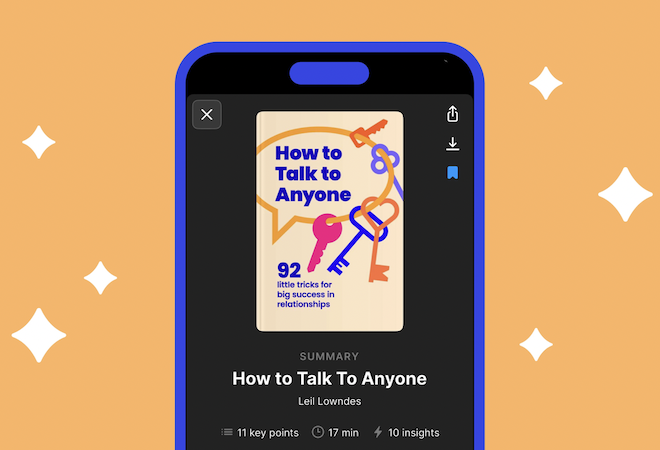
Headway works by extracting the foundational messages from best-selling factual nonfiction books and turning them into compressed profiles. You can get through the major arguments of a 300-page psychology or productivity text within 15 minutes. It handles the structural summary layout flawlessly by giving you both written breakdowns and smooth audio scripts, which fit perfectly into a morning subway ride or a quick coffee break, allowing you to gain valuable insights from major global copies.
Consider a practical scenario where you want to read self-improvement strategies but lack the hours to finish a massive hardback. You load Headway's curation library with more than 2500+ books. You get a core condensed summary of James Clear’s Atomic Habits or Simon Sinek's Start with Why. The profit is clear: you bypass a massive reading commitment but still pocket the strategic concepts during a short coffee break.
The system beats doomscrolling by delivering immediate text or audio summaries, capturing your focus on real-world concepts before you slip into mindless app traps. According to the Headway website, it has reached over 55+ million global downloads and earned an Apple Editors' Choice Badge, proving its massive popularity for providing immediate intellectual rewards over social validation loops.
3. Smiling Mind wellbeing app: Practice and reset your mind with short mindfulness sessions
Smiling Mind delivers digital mental fitness tools designed directly by psychologists and mental health experts to lower everyday stress. The system relies entirely on evidence-based mindfulness strategies, focusing heavily on modern behavioural habits.
It introduces realistic techniques that steady a spinning mind:
- over 700 tailored meditation sessions matching all age groups and familiarity levels;
- specialised audio tracks spoken in Indigenous Australian languages like Kriol and Pitjantjatjara; and
- progress logging trackers that visually map your shifting baseline stability over time.
You can launch the Adult Workplace program, selecting a two-minute grounding session. The tangible return is a lower heart rate and an immediate exit from mental looping patterns. The application explicitly disrupts doomscrolling by shifting your focus onto biological breathing and clearing out sudden social-media-induced anxiety.
4. One Sec habit interrupter: Break the habit before you start scrolling
One Sec applies real physical friction to your muscle memory loops by forcing a deep breathing screen to appear every single time you tap a social app icon. This pause breaks the unconscious loop of looking for quick dopamine triggers. This exact technique reduces overall app openings by over 50 per cent, creating a brief moment of friction that breaks your automatic brain loops and gives you the clarity to put the phone down before a long scrolling session even starts.
One Sec intercepts such processes, forcing a full-screen breathing prompt for five seconds. This sudden pattern interrupt gives your brain enough space to realise you do not actually want to check timelines, allowing you to slide your device back into your pocket before wasting half an hour.
5. AppBlock focus screen time tracker: Remove temptation before it distracts you
AppBlock takes a firm approach to boundary management by letting you completely deactivate distracting apps based on fixed schedules or precise GPS locations. Once strict mode fires up, changing your settings or bypassing the barrier is completely blocked.
It acts as an intentional digital boundary system for your workspace, allowing you to lock social platforms completely during your standard working hours. If you are trying to finish a project at your desk but keep picking up your phone, AppBlock uses its location tracking to spot your arrival at the office. It locks down your chosen social feeds instantly.
6. Unscroll Doomscrolling Timer monitor: Track time and become more aware of your screen time
Unscroll changes how you view your active screen time by keeping a constant, running timer visible on your primary display while you use social apps. It works by keeping your active attention aware of your phone habitsя. The constant visual indicator reminds you of the passing minutes before your focus drifts away completely.
When you open a news app to check a quick headline, Unscroll floats a bright, live counter at the top of your screen. Watching the numbers count up keeps your logical mind awake, meaning you notice when a quick check turns into an aimless five-minute downward slide.
Build a phone habit you can actually keep
Adjusting your digital habits works best when the new choice fits cleanly into the spaces your old habits used to occupy. Trying to banish phone use entirely often fails because the urge to reach for the device remains. Finding helpful apps to use instead of doomscrolling bridges that gap perfectly.
You can also get into microlearning, reading short book summaries, or tracking your screen time, which lets you use your phone without feeling exhausted by it. You can try opening a single learning platform during your very next phone break to test and see how different it feels!